Simple AutoClicker
Simple AutoClicker is a fast Windows auto clicker with custom CPS, Hold Mode, Toggle Mode, trigger profiles and Expert Mode actions. Made by a gamer for people who want a cleaner clicker.
Overview
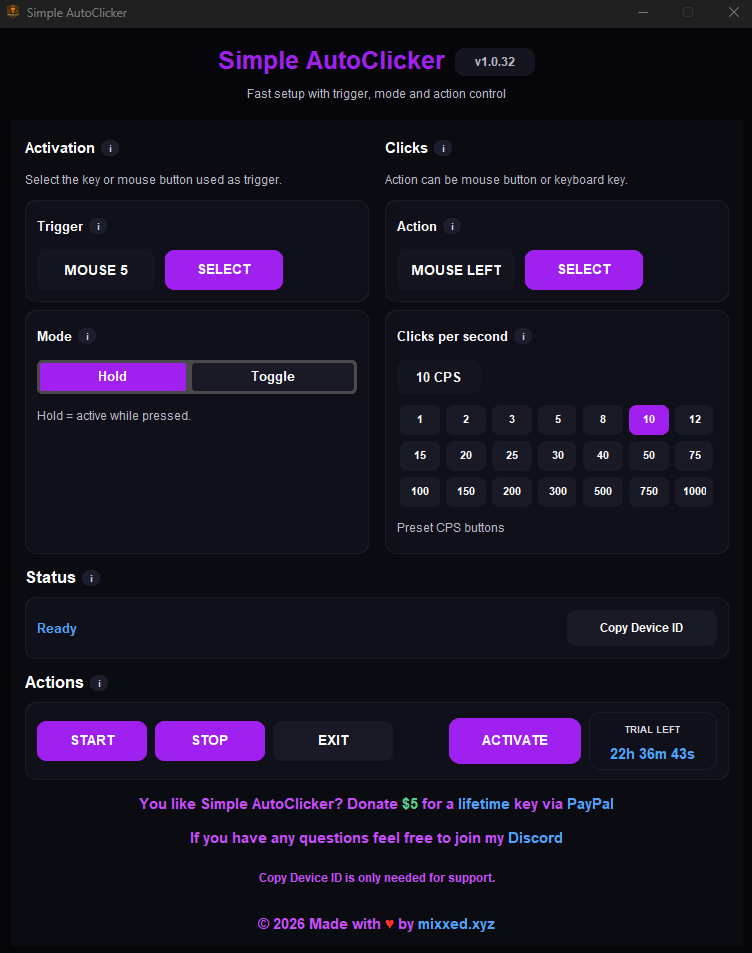
Simple AutoClicker is built for quick mouse and keyboard automation on Windows. Choose the trigger, choose the action, set your clicks per second and start clicking. Hold Mode is useful for controlled bursts, while Toggle Mode keeps the action running until you stop it.
The real power starts when your setup gets more specific. Expert Mode can add up to 13 extra mouse or keyboard actions with their own delays, while profiles let different triggers run side by side. It is useful for grinding, testing, repetitive Windows tasks and any workflow where a clean auto clicker setup saves time.
Instant Control
Pick a keyboard key or mouse button as your trigger, then choose exactly which key or click should repeat.
Hold or Toggle
Hold for short, precise bursts or use Toggle when you want the clicker to keep running until you stop it.
Expert Mode
Add up to 13 extra mouse or keyboard actions, each with its own delay, without slowing down the main CPS.
Smart Profiles
Create up to 8 trigger profiles that listen at the same time, so different setups are ready when you need them.
Preview
Common Questions
What can Simple AutoClicker do?
It can repeat mouse clicks or keyboard actions at a custom CPS, using either Hold Mode or Toggle Mode.
What is Expert Mode?
Expert Mode adds extra mouse or keyboard actions with their own delay, so one trigger can run a more advanced setup.
Does it save setups?
Yes. Trigger profiles can store different clicker setups, and multiple profiles can listen at the same time.